
Why a hotel restaurant menu has a harder job
A hotel restaurant serves guests from many countries at the same table, sometimes at the same breakfast service. The menu has to work for someone who reads English fluently and for someone who reads only a few words of it, and it has to be just as clear about dietary needs in every language. That is the real problem behind a multilingual menu: a translation that is merely correct is not enough.
This guide is for hotel food and beverage teams deciding how to present a menu in several languages on a tablet. It covers design consistency, dietary information, and how translations and updates are handled on the Uppsale platform.
Keep the design the same in every language
Guests notice when one language version looks like an afterthought. Different fonts, missing photos, or dishes that appear in one language and not another all make a hotel feel less careful than it is.
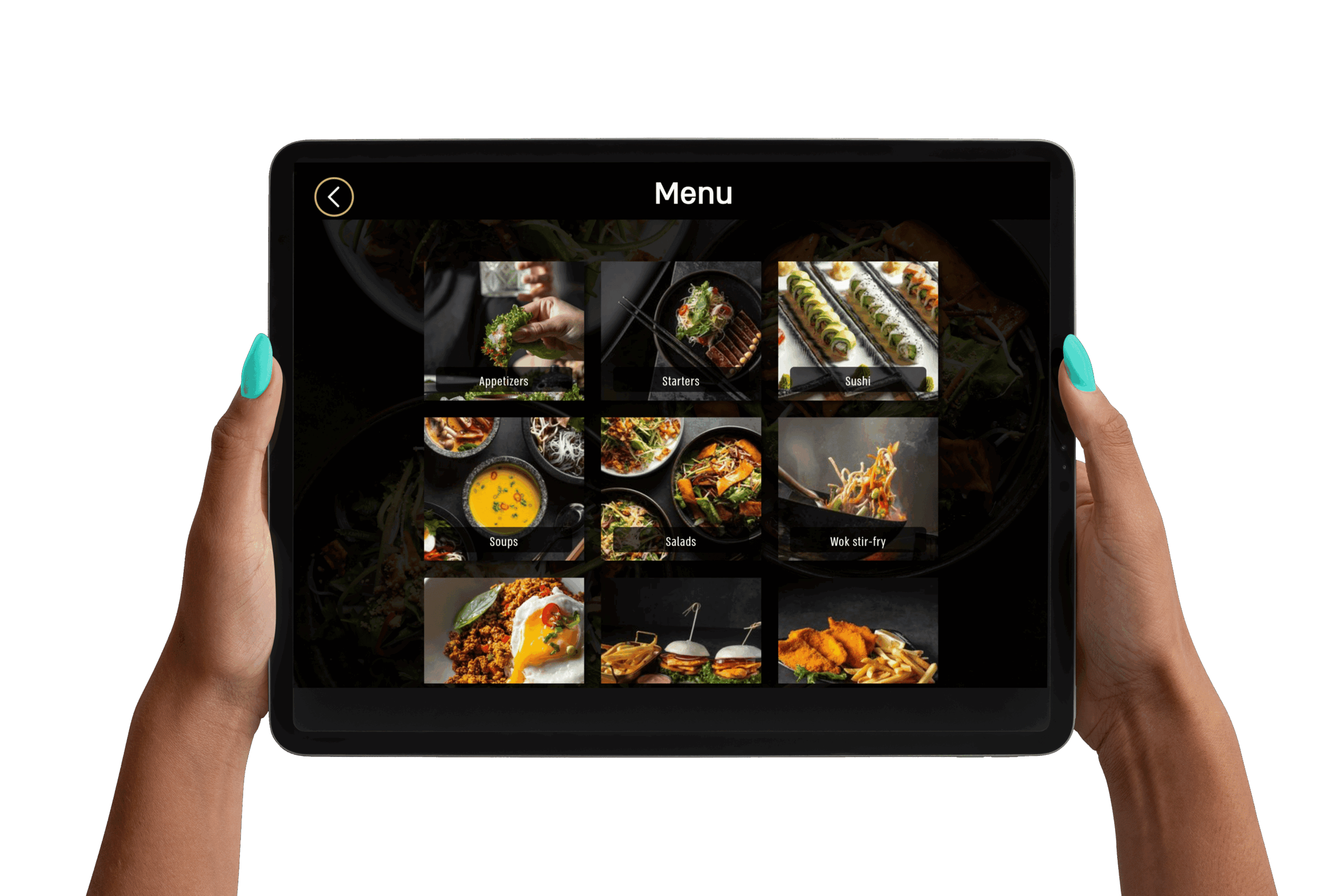
On Uppsale, each menu is designed to match the venue's brand and concept, and the design stays consistent across every language and location. Dishes are photographed once, professionally, and the same images appear no matter which language the guest picks. Text length is the practical thing to plan for: some languages run longer than English, so layouts should leave room instead of cutting names or descriptions short.
- Use one set of photos for all language versions.
- Keep dish order and categories identical across languages.
- Check the longest translations on the actual tablet screen before launch.
Dietary information is where translation matters most
A mistranslated dish name is an annoyance. A mistranslated allergen note is a safety problem. Hotels with international guests need dietary details to be unambiguous in every language the menu offers.
The smart tablet menu makes this easier to manage. Dietary values and tags are displayed on each dish and can be managed in one place, so the information a guest sees in one language matches what they would see in another. Sue Chef, the AI menu assistant, scans the whole menu and sorts dishes into tags such as gluten free, vegan, high protein, and under 1,000 calories, so guests can filter to what fits them in a few taps. The restaurant team still reviews what the tags say, because the kitchen is the authority on what is in each dish.
For the US labeling side of this, see our guide to allergen and dietary labeling rules for US restaurant menus.
How translations and updates are handled on Uppsale
Uppsale provides multilingual translation as part of the menu package, alongside professional photography, custom design, and the tablets themselves (with charging stations and protective covers). The hotel does not have to source translators or manage separate files for each language.
Updates are handled from a mobile device. The team can change dishes, pricing, and availability at any time, with no technical staff needed. For a hotel, that matters in daily practice: when the kitchen runs out of a dish or a seasonal item changes, the menu reflects it right away instead of waiting for a reprint. Because the menu is a tablet menu and not a QR code menu, guests are not asked to use their own phones, which helps when a guest has no data connection abroad. We compare the two in tablet menu vs. QR code menu.
A hotel reference: Hilton Budapest
Uppsale can point to the Hilton Budapest as a hotel property it works with, which is the kind of international setting where a multilingual menu earns its place. The hotel is listed on Hilton's own website for anyone who wants to see the property.
If you want to see how the same approach works in a restaurant setting, our write-ups of Ruben USA and Landwer Cafe show how the smart tablet menu runs at the table.
A short checklist before you launch
- Decide which languages your guest mix actually needs, based on who stays with you.
- Have the kitchen confirm every dietary tag before translation.
- Test the longest translated dish names on the real tablet screen.
- Assign one person on the F&B team to own menu updates.
- Review the menu after the first few weeks and adjust photos or wording where guests hesitate.
To talk through your hotel's setup, get in touch through Uppsale for a personal walkthrough and a digital menu demo.
Frequently asked questions
Does Uppsale provide the translations for a multilingual menu?
Yes. Multilingual translation is part of the Uppsale package, along with professional photography and custom menu design, so the hotel does not need to source translators separately.
Can the design look the same in every language?
Yes. Uppsale menus keep a consistent, high quality design across every language and location, using the same photos and the same structure for each language version.
How are dietary values handled on a tablet menu?
The smart tablet menu displays dietary values on each dish and lets the team manage them in one place. Sue Chef also sorts dishes into tags like gluten free, vegan, and high protein so guests can filter quickly.
How quickly can a hotel update the menu?
Dishes, pricing, and availability can be updated at any time from a mobile device, with no technical team needed.
Is this a QR code menu?
No. Uppsale uses a smart menu on a tablet at the table, not a QR code menu, so guests do not need to use their own phones.
Which hotel can Uppsale reference?
Uppsale can reference the Hilton Budapest as a hotel property it works with.