
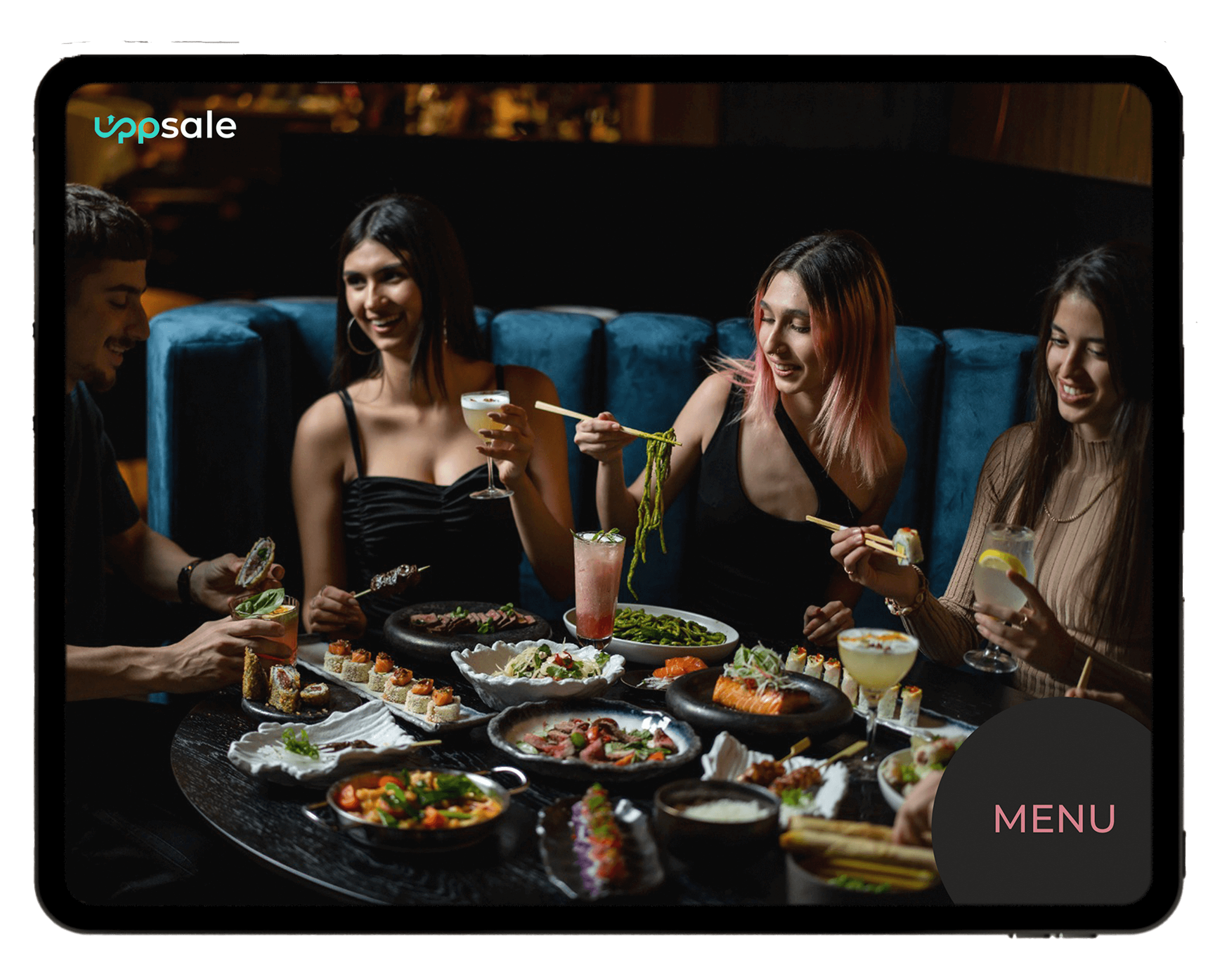
Ruben USA is one of the restaurants Uppsale works with in the United States. This page looks at how a smart tablet menu fits into a restaurant like this one: what the guest sees at the table, how dietary values are shown, and how the team keeps the menu current.
It is written for US restaurant owners who are weighing a tablet menu against a printed menu or a QR code link. You can see the restaurant itself at rubenusa.com.
One point up front: Uppsale does not use QR codes. The menu lives on a tablet at the table, so guests do not need to pull out a phone, find a signal, or scan anything. If you want the full comparison, we cover it in Tablet Menu vs. QR Code Menu for Restaurants.
What guests see on the tablet at the table
The tablet is already at the table when guests sit down. They browse the menu themselves, at their own pace, with photos of the dishes instead of a block of text.
A few things make this different from a PDF on a phone:
- Dishes are shown with eye catching photos, so guests can see what they are ordering.
- Smart upsells and suggestions appear as guests tap through, which is where the sales lift comes from.
- The design is built around the restaurant's own brand and concept, not a generic template.
- Translation into other languages is part of the package, which helps when guests do not read English as their first language.
Uppsale supplies the whole setup: tablets, charging stations and protective covers. The restaurant plugs it in and starts. For a wider look at how this works across US restaurants and cafes, see our guide to the smart tablet menu for restaurants and cafes in the USA.
How dietary values are displayed and managed
This is where a tablet menu does something a paper menu cannot. Dietary information is built into the menu itself, so guests can filter to what fits their needs instead of asking the server about every dish.
Uppsale's AI menu assistant, Sue Chef, scans the whole menu and sorts each item into smart tags. Examples include gluten free, vegan, high protein, under 1,000 calories and vitamin B12 rich. Guests tap a filter and see only the dishes that match.
For the restaurant, this is also easier to manage:
- You set up and adjust dietary values once, in the same dashboard where you manage the rest of the menu.
- When a recipe changes, you update the item and the tags follow, instead of reprinting menus.
- Servers spend less time answering the same ingredient questions table after table.
- The data on what guests filter for shows you what they actually want, which helps with marketing and menu decisions.
Showing dietary values clearly is not a substitute for knowing your own kitchen. Allergen and labeling requirements for US menus are a separate topic, and we walk through them in our allergen and dietary labeling guide for US restaurant menus.
Updating items and prices from one dashboard
The other half of the story is the back end. Printed menus mean reprint costs and delays every time a price moves or a dish sells out. With Uppsale, the team makes changes from a phone.
From the dashboard, a manager can:
- Change a price and have it show on every tablet right away.
- Mark a dish unavailable when the kitchen runs out.
- Add a new item with a photo and its dietary tags.
- Edit descriptions or translations without waiting on a designer or a technical team.
Changes work from any mobile device, with no downtime on the guest side. Uppsale also provides automated reports and round the clock support, so the restaurant is not left on its own after setup. Across Uppsale deployments, the figures we report are an 8% increase in sales and a 10% reduction in staff dependency, with more than 6,000 tablets deployed over eight years in the industry. For more on the sales side, read how a digital menu increases restaurant sales.
What US restaurant owners can take from this
If you run a restaurant and are thinking about a tablet menu, the Ruben USA setup shows the practical shape of it: a tablet at the table, dietary values guests can filter, and one dashboard your team can update from a phone.
The main questions to ask any provider are simple. Does the hardware come with it? Can you change prices and availability yourself? Can guests filter by dietary need without asking staff? Those are the things Uppsale was built around.
If you want to see it working for your own menu, you can request a personal walkthrough and a demo from the Uppsale homepage.
Questions about the Uppsale tablet menu
Does Uppsale use QR codes for its digital menu?
No. Uppsale uses a smart menu on a tablet at the table, not a QR code. Guests browse the menu directly on the tablet without scanning anything or using their own phone.
How does the tablet menu show dietary values?
Uppsale's assistant, Sue Chef, scans the menu and sorts each dish into tags such as gluten free, vegan, high protein, under 1,000 calories and vitamin B12 rich. Guests filter by these tags to see only the dishes that fit their needs.
Can a restaurant update prices and availability without a technical team?
Yes. Dishes, prices and availability can be updated from any mobile device, with no delays and no downtime, and no technical team is needed.
What hardware comes with the Uppsale menu?
Uppsale provides the tablets, charging stations and protective covers, so the restaurant can plug in and start.
Can the menu be shown in other languages?
Yes. Professional photography and multilingual translation are part of the package, so guests can read the menu in the language that suits them.
What results does Uppsale report across its deployments?
Uppsale reports an 8% increase in sales and a 10% reduction in staff dependency, with more than 6,000 tablets deployed over eight years in the industry.