
What a Digital Menu Actually Does for Your Revenue
A printed menu is a static document. Once it's at the table, it can't suggest an add-on, flag a sold-out dish, or adapt to a guest who keeps kosher. A digital menu can do all three, and that gap is where restaurants leave money on the table.
The core idea is simple: guests scan a QR code, the menu opens in their phone's browser, and they browse with photos, descriptions, and filters in front of them. No app to install, no account to create. At Tomo Asian Kitchen in Tayibe, Israel, this is exactly how it works with the Uppsale system. Guests pick up their phone, scan, and the full menu loads instantly.
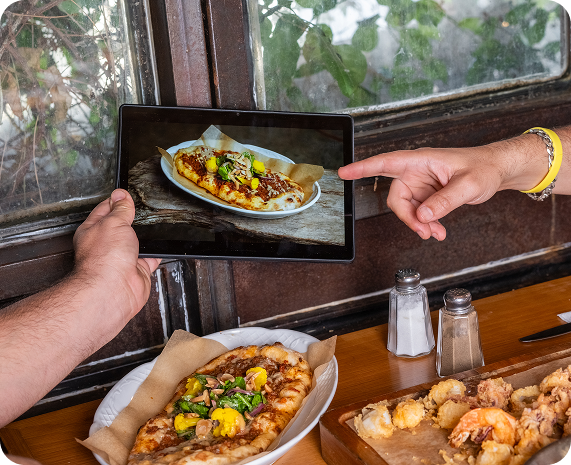
For a restaurant with a wide menu spanning sushi rolls, sashimi, and cooked Asian dishes, that visual clarity matters. When a guest can see a photo of a specialty maki roll alongside its ingredients and price, they are more likely to order it confidently. When they can't, they often default to whatever they already know.
How Uppsale Prompts Drive Higher Check Averages
One of the measurable revenue benefits of a digital menu is built-in upselling. The Uppsale platform includes upsell prompts that suggest additions or upgrades at the right point in the ordering process. These are configured by the restaurant, so they reflect what you actually want to push, whether that's a premium nigiri upgrade, an extra appetizer, or a drink pairing.
The difference between a digital upsell and a verbal one from a server is consistency. A server might forget to mention the add-on during a busy Friday service. The menu does not forget. And because the prompt appears in context, while the guest is already looking at a dish, it feels like a natural suggestion rather than a sales pitch.
For restaurant owners trying to grow revenue without hiring more staff or raising prices, this kind of passive upsell is one of the most straightforward tools available.
Keeping the Menu Accurate Without Printing Costs
Printed menus have a fixed problem: the moment something changes in the kitchen, the menu is wrong. A dish runs out, a price adjusts, a seasonal special goes live. With print, your options are to cross things out, tell every server to announce the change, or reprint. None of those are good.
With a digital menu, changes happen in the backend and go live immediately. At Tomo Asian Kitchen, when a dish is sold out, it can be hidden from the menu in seconds. When a new item is added, it appears without waiting for a print run. For a kitchen working with fresh fish, where availability changes daily, this matters practically.
Beyond accuracy, the cost difference adds up. Printing menus is a recurring expense, especially for restaurants that update their offerings seasonally or run frequent specials. A digital system removes that cycle entirely.
A Better Experience for Guests With Dietary Needs
One specific area where digital menus outperform printed ones is dietary filtering. The Uppsale menu at Tomo includes filters that let guests narrow the menu to dishes that match their needs, vegetarian options, dishes without shellfish, and other preferences. The filters apply instantly with no loading delay.
This matters for two reasons. First, guests with restrictions spend less time reading through the entire menu and less time asking staff about ingredients. Second, it reduces pressure on servers during busy service. When a table of four each has different dietary requirements, a filtered digital menu handles the sorting that would otherwise require multiple conversations.
The menu at Tomo is also available in the guest's preferred language, which is useful for a restaurant that draws a diverse crowd from across the region. Accessibility in language is part of accessibility overall, and a menu that works in the guest's first language leads to fewer ordering errors and a more confident dining experience.
What to Look for in a Smart Menu System
Not all digital menu platforms are the same. Based on how the Uppsale system works at Tomo Asian Kitchen, here are the practical things that matter for a restaurant:
- No app required for guests. If guests have to download something, most won't. A browser-based menu that opens from a QR code is the right approach.
- Photo and description support for every item. A menu without visuals is just a list. Photos are what drive guests toward unfamiliar dishes.
- Real-time updates from the restaurant side. You need to be able to hide a sold-out item or add a special in under a minute, without calling a developer.
- Uppsale configuration. The ability to set up prompts that suggest additions at the right moment, calibrated to your menu, not a generic template.
- Dietary filters. Guests with restrictions will appreciate it, and your servers will have one less thing to manage.
If you want to see how this works in practice, the Tomo Asian Kitchen digital menu is a live example of the Uppsale system. The Uppsale platform is built for restaurant owners who want a menu that works harder than a printed page.